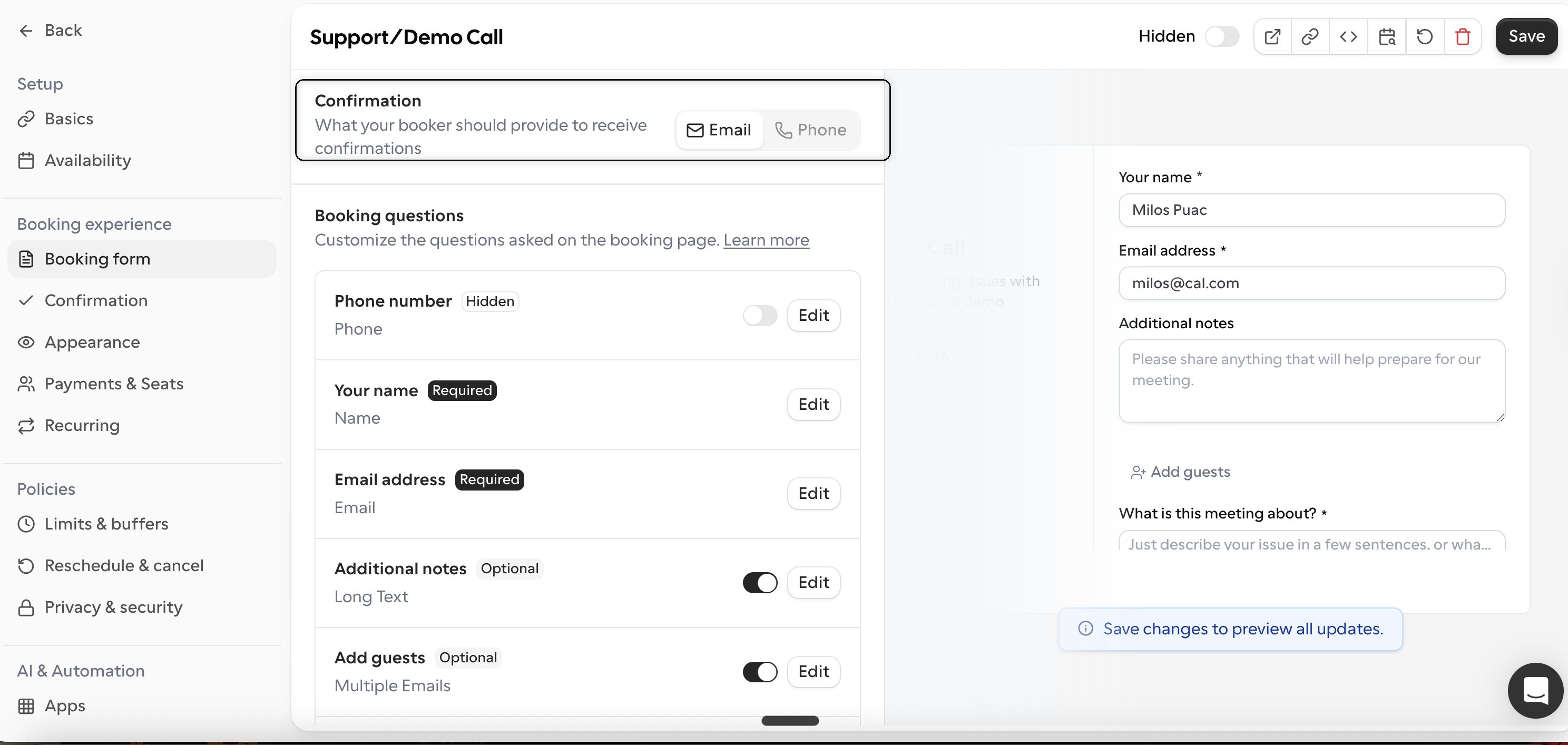
A phone-only event type asks bookers for their phone number instead of their email address to receive confirmations. With the latest event type settings redesign, you no longer need to manually edit individual booking questions. The switch now happens in a single step.
  1. Open the event type you want to edit.
  2. In the left sidebar, under Booking experience, select Booking form.
  3. At the top of the page, find the Confirmation section labeled “What your booker should provide to receive confirmations”. It has an Email / Phone toggle.
  4. Switch the toggle from Email to Phone.
  5. Click Save.
Cal Confirmation Highlighted
That’s it. Once you switch to Phone, the booking form automatically replaces the email field with a phone number field, so bookers provide their phone number to receive confirmations. This setup is perfect for scenarios where you only need the attendee’s phone number for communication.